> ## Documentation Index
> Fetch the complete documentation index at: https://docs.beacon.sh/llms.txt
> Use this file to discover all available pages before exploring further.
# Beacon Overview
> Beacon is the open-source self-improving memory layer for AI agents.
Beacon captures activity across agent harnesses and turns it into a shared history you can search, debug, analyze, and learn from.
Run Beacon locally with full control of your data, or use Beacon Managed for hosted storage, search, analytics, and unlimited retention.
## Why Beacon
Agent history is fragmented across tools.
Prompts, tool calls, commands, file edits, and model interactions are often trapped inside individual harnesses and session formats. Beacon normalizes that activity into one consistent record across agents.
That shared history makes it easier to:
* debug failed workflows
* understand how agents are being used
* analyze runtime behavior
* compare activity across harnesses
* surface recurring workflows and corrections
* turn past agent runs into reusable knowledge
## From traces to shared knowledge
Every agent session contains useful context: debugging paths, repository conventions, repeated corrections, commands, and tool sequences.
Beacon captures that history so it can be reused across future runs and across different harnesses.
Every run adds to the knowledge base.
| Capability | Local | Beacon Managed |
| ------------------------------ | -------------- | -------------- |
| Cross-harness agent telemetry | ✓ | ✓ |
| Local, CI & cloud collection | ✓ | ✓ |
| Unified agent session history | ✓ | ✓ |
| Store data locally | ✓ | ✓ |
| Forward to your own data stack | ✓ | ✓ |
| Hosted ingest & storage | — | ✓ |
| Search & analytics | — | ✓ |
| Identity mapping | — | ✓ |
| **Agent Session Retention** | **You manage** | **Unlimited** |
| SSO & RBAC | — | ✓ |
## Beacon
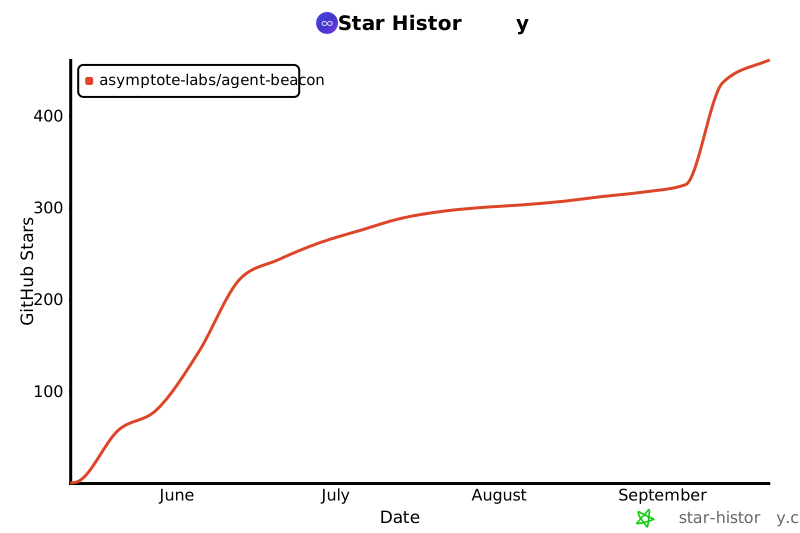
Beacon is built on the [`agent-beacon`](https://github.com/asymptote-labs/agent-beacon) repository.
 If you are starting with Beacon, these pages are the most useful next steps:
Choose the right setup path for a managed rollout or local developer evaluation.
Learn how Beacon collects, normalizes, stores, correlates, and detects telemetry across every supported surface.
Validate endpoint health, events, dashboard access, MCP access, and logs.
See supported agent harnesses, deployment modes, destinations, and boundaries.
Review Beacon JSONL fields, normalization behavior, and example events.
Plan endpoint inventory, MDM rollout, retention policy, validation, and log forwarding.
Additional references: [Core Concepts](/concepts/core-concepts), [Command reference](/cli), and [MCP server](/cli/mcp).
## Related
Install the open-source CLI and configure Agent Beacon telemetry.
Review managed visibility, investigations, and rollout support.
Compare the open-source local path with managed and enterprise deployment options.
See plan positioning for open-source, managed enterprise, and private deployment.
If you are starting with Beacon, these pages are the most useful next steps:
Choose the right setup path for a managed rollout or local developer evaluation.
Learn how Beacon collects, normalizes, stores, correlates, and detects telemetry across every supported surface.
Validate endpoint health, events, dashboard access, MCP access, and logs.
See supported agent harnesses, deployment modes, destinations, and boundaries.
Review Beacon JSONL fields, normalization behavior, and example events.
Plan endpoint inventory, MDM rollout, retention policy, validation, and log forwarding.
Additional references: [Core Concepts](/concepts/core-concepts), [Command reference](/cli), and [MCP server](/cli/mcp).
## Related
Install the open-source CLI and configure Agent Beacon telemetry.
Review managed visibility, investigations, and rollout support.
Compare the open-source local path with managed and enterprise deployment options.
See plan positioning for open-source, managed enterprise, and private deployment.